¶ Calendar Feature in LawPractica
The Calendar in LawPractica provides a centralized view of all events, tasks, deadlines, and scheduled activities across the firm. It helps lawyers, assistants, and staff stay organized, track upcoming commitments, and manage daily workflows efficiently.
This guide explains how to navigate the Calendar, view events, and understand the available features.
 |
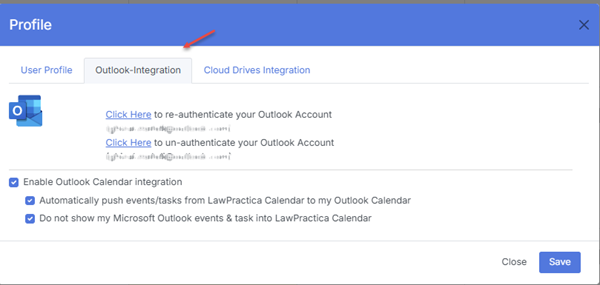
Two-way integration with Microsoft Outlook Calendar can also be enabled. |
¶ 1. Accessing the Calendar
To open the Calendar:
Navigate to the main menu.
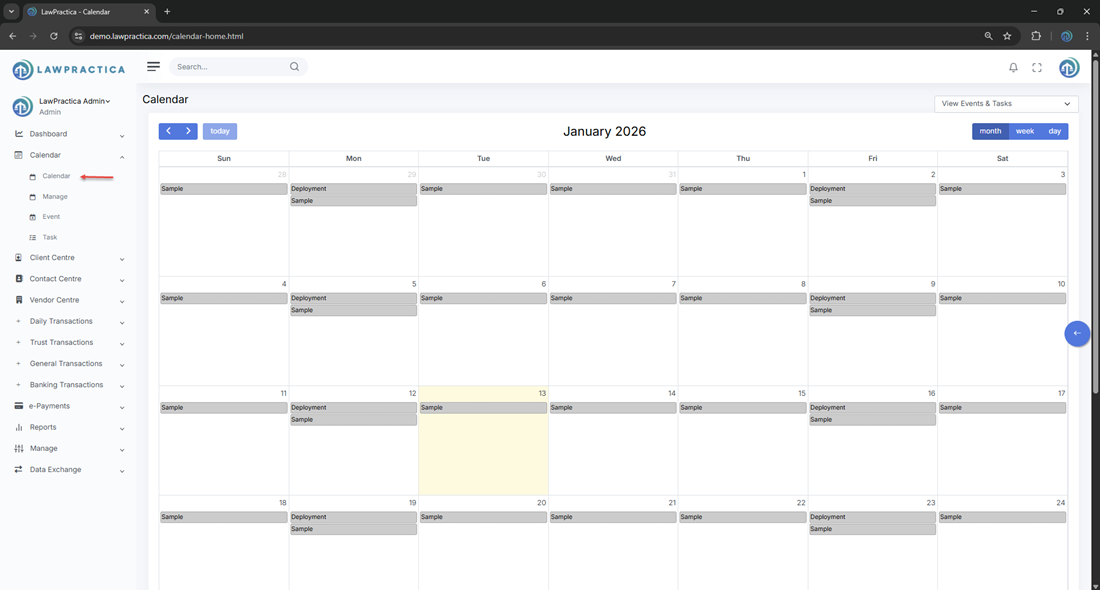
Select Calendar.
You will be taken to the Calendar Home screen, which displays a monthly view of all events and tasks.
¶ 2. Calendar Layout Overview
The Calendar page is designed to give you a clear overview of your schedule.
¶ A. Monthly Calendar Grid
The main section displays a month‑at‑a‑glance view, showing:
- Days of the month
- Events scheduled on each day
- Tasks assigned for specific dates
- Recurring events (e.g., “Deployment Sample”)
Each day cell may contain one or more entries, such as:
- Meetings
- Court dates
- Deadlines
- Tasks
- Internal reminders
¶ B. Event & Task Indicators
Events and tasks appear directly inside the date boxes with specified coloring.
¶ 3. Viewing Events & Tasks
- To view details for a specific day:
- Click on the date in the calendar.
- A list of events and tasks for that day will appear.
- You can open any item to see full details, such as:
- Title
- Description
- Assigned lawyer
- Start and end time
- Related matter or client
¶ 5. Task Management Through the Calendar
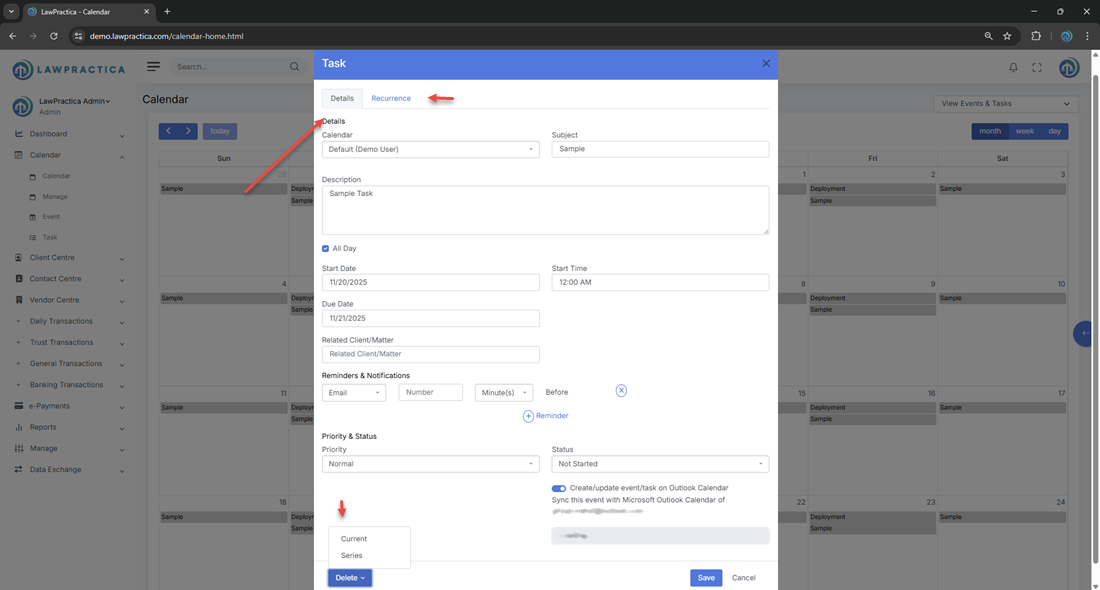
Tasks assigned to users or lawyers also appear on the calendar.
You can:
- View task deadlines
- Track upcoming due dates
- Open tasks directly from the calendar
- Update task status (e.g., In Progress, Completed)
- This helps ensure that important deadlines are not missed.
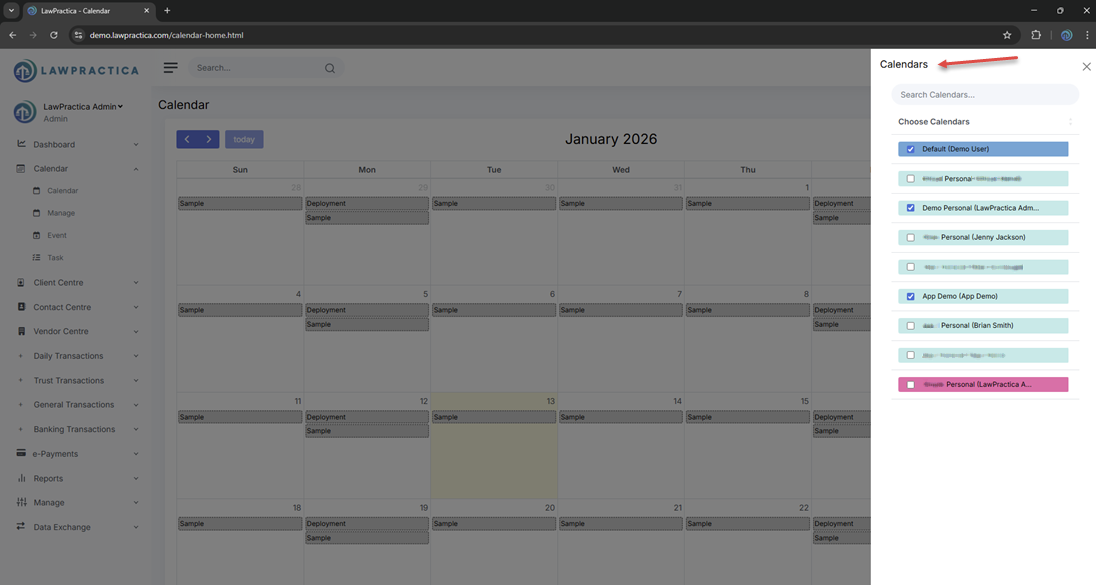
- Include multiple calendars in the view withthe desired color scheme
¶ 7. Integration With Other Modules
The Calendar integrates with:
- Tasks
- Matters
- Client Centre
- Contact Centre
- Vendor Centre
- Microsoft Outlook Canledar
Events created in these modules automatically appear in the Calendar, ensuring a unified scheduling experience.