¶ 1. Overview
The Manage Multiple Calendars section provides administrative tools for configuring all sub‑calendars used across the firm. Each calendar can be customized with its own name, color, and access settings, ensuring events and tasks remain organized, visually distinct, and permission‑controlled.
This functionality supports firm‑wide scheduling, lawyer‑specific calendars, departmental calendars, and personal calendars.
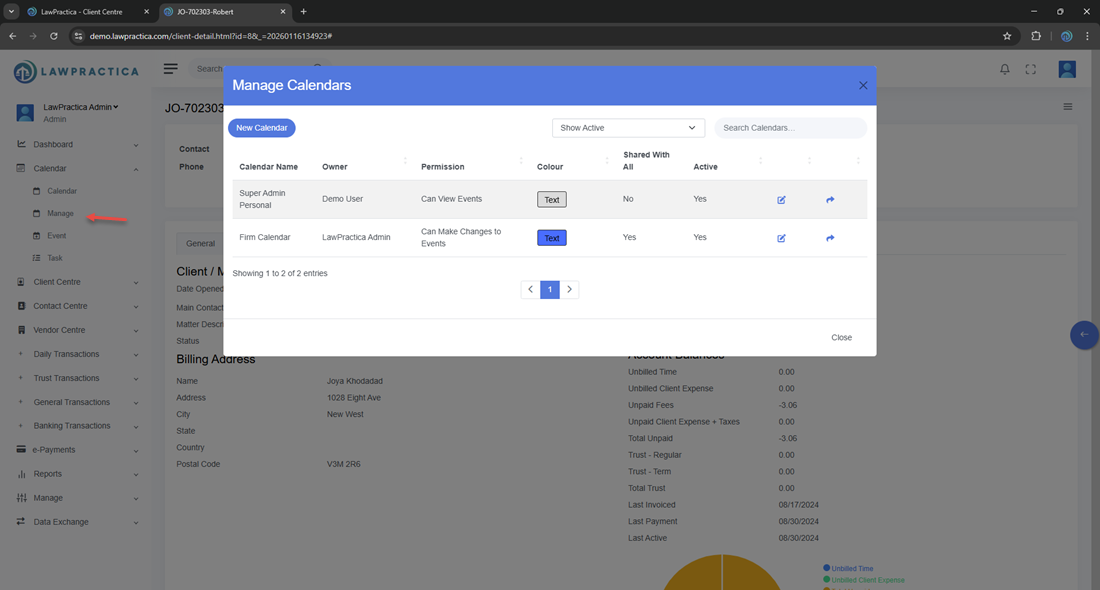
¶ 2. Creating a New Calendar
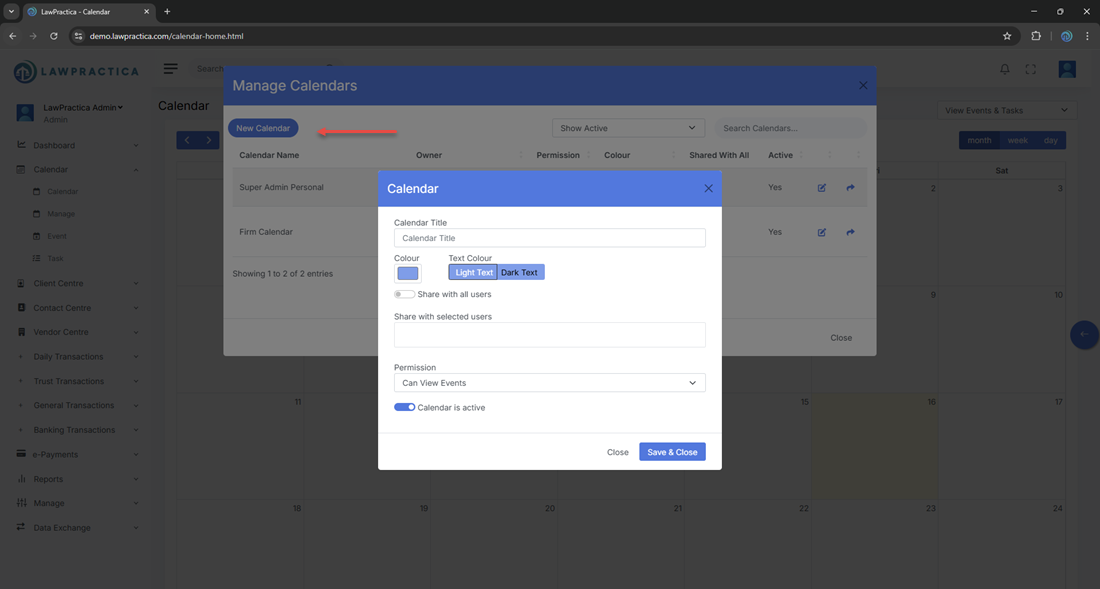
Administrators can introduce additional calendars to support different workflows or teams.
¶ Steps
- Open the Manage Multiple Calendars section.
- Select Add Calendar.
- Enter a calendar name.
- Choose a color for visual identification.
- Save the configuration.
The new calendar becomes immediately available for event and task assignment.
¶ 3. Editing an Existing Calendar
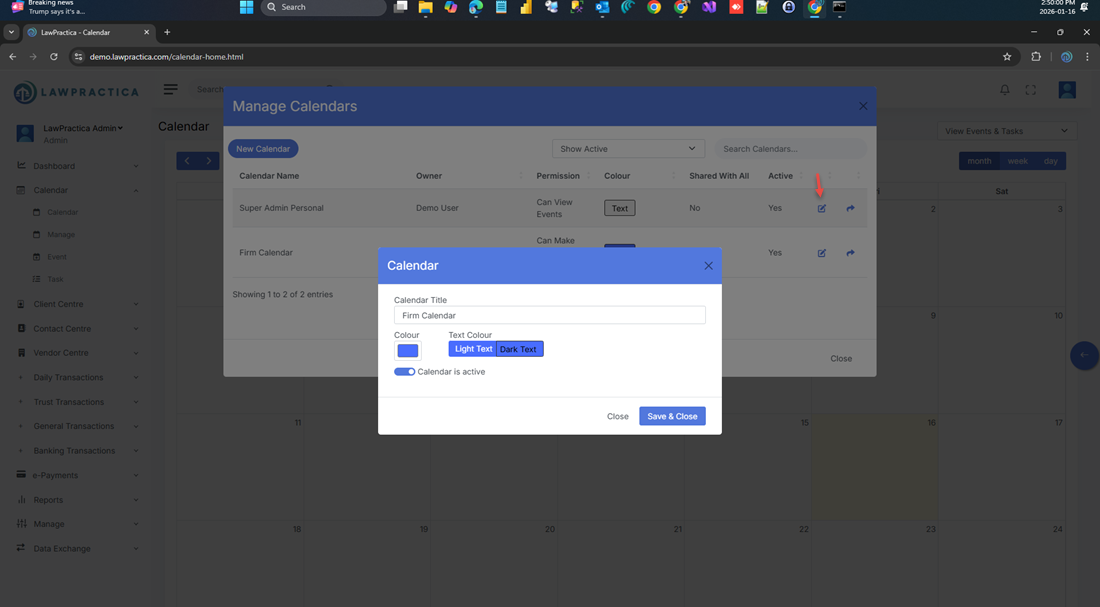
Existing calendars can be updated at any time to reflect changes in structure or naming conventions.
¶ Configurable Options
- Calendar name
- Calendar color
- Visibility settings
- Access permissions
All updates apply instantly across the scheduling interface.
¶ 4. Calendar Visibility & Permissions
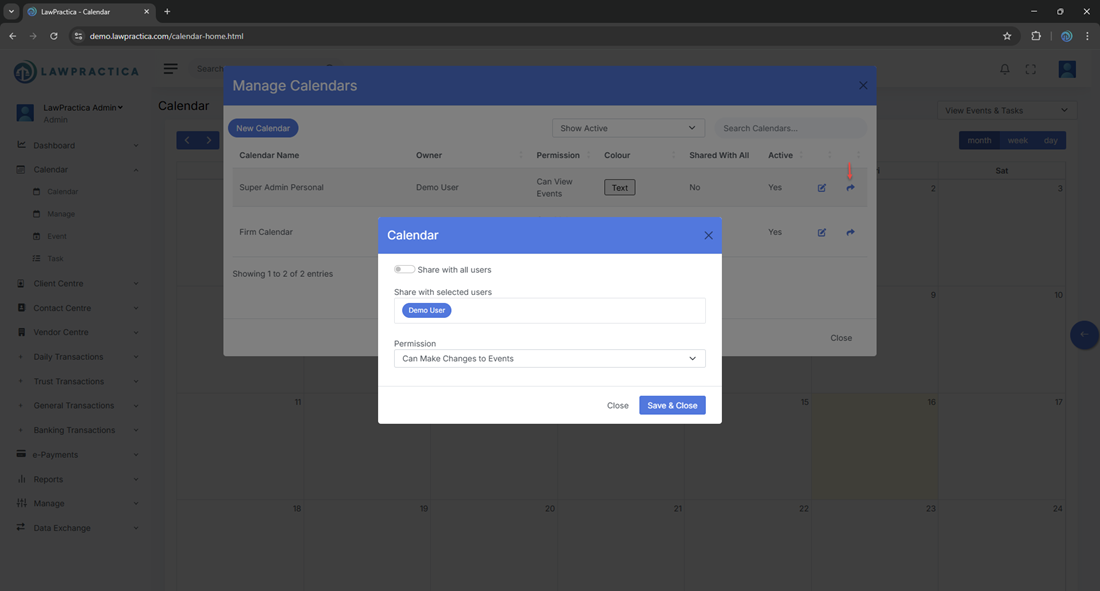
Each calendar can be configured to control who can:
- View the calendar
- Create events within it
- Edit or delete items
- Assign it to tasks or events
This ensures confidentiality, prevents unauthorized scheduling, and supports role‑based access control.
¶ 5. Color‑Coding for Clarity
Every calendar is assigned a unique color. When users create an event or task:
- The selected calendar determines the color
- The event inherits the calendar’s permissions
- The item displays consistently across all scheduling views
Color‑coding allows users to quickly distinguish between personal, firm‑wide, lawyer‑specific, and court‑related calendars.
¶ 6. Disabling or Removing Calendars
If a calendar is no longer required:
- It can be disabled to hide it from active use while preserving historical data
- Or removed entirely if it is no longer relevant
This helps maintain a clean and organized scheduling environment.
¶ 7. How Multiple Calendars Work Together
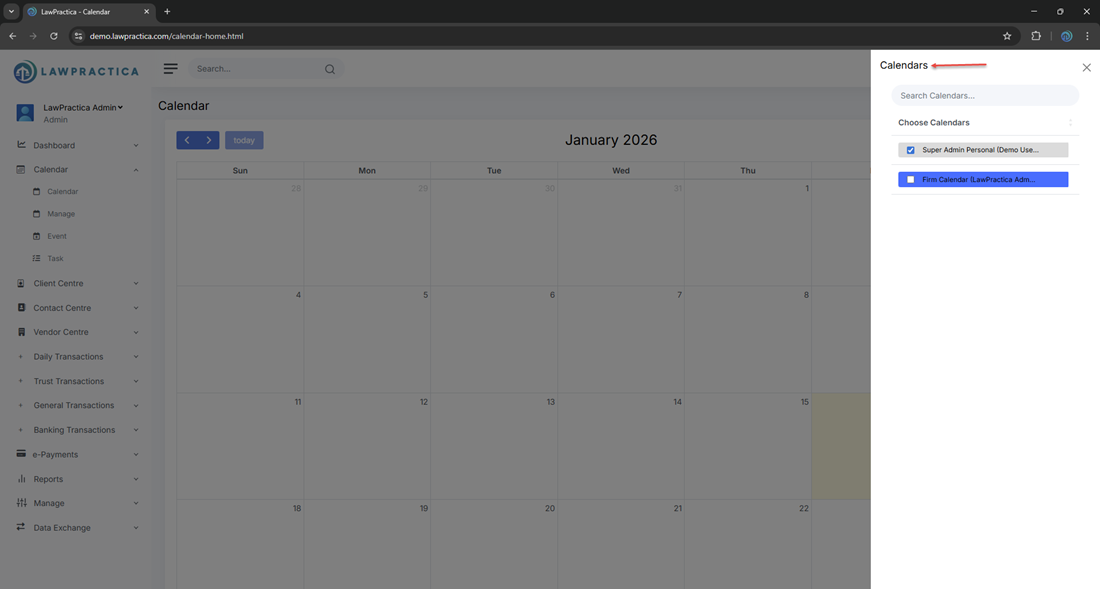
When users toggle calendars on or off in the main Calendar interface:
- Only selected calendars are displayed
- Events and tasks remain color‑coded
- Users can focus on specific workflows or view all activity at once
This flexibility supports both individual and firm‑wide scheduling needs.