¶ 1. Overview
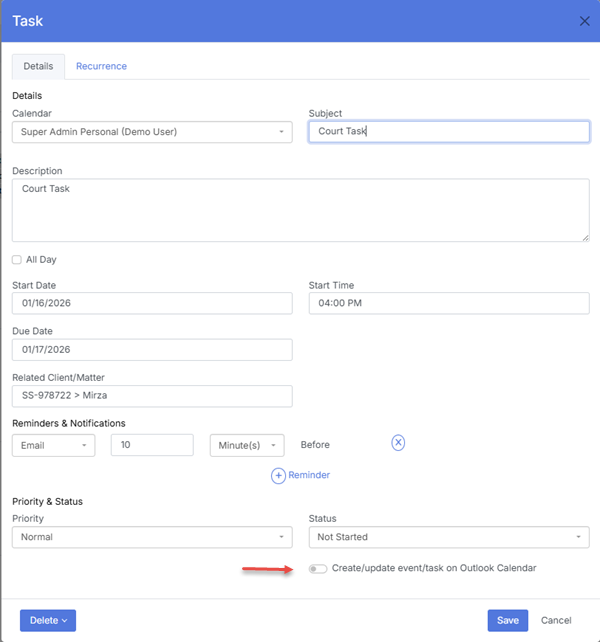
The Task module provides a dedicated workspace for managing actionable items across the firm. Tasks can be assigned to lawyers or staff, linked to matters, and displayed on the Calendar to ensure deadlines and responsibilities are clearly visible.
Tasks support status tracking, reminders, and calendar integration, making them essential for daily workflow and matter management.
¶ 2. Creating a Task
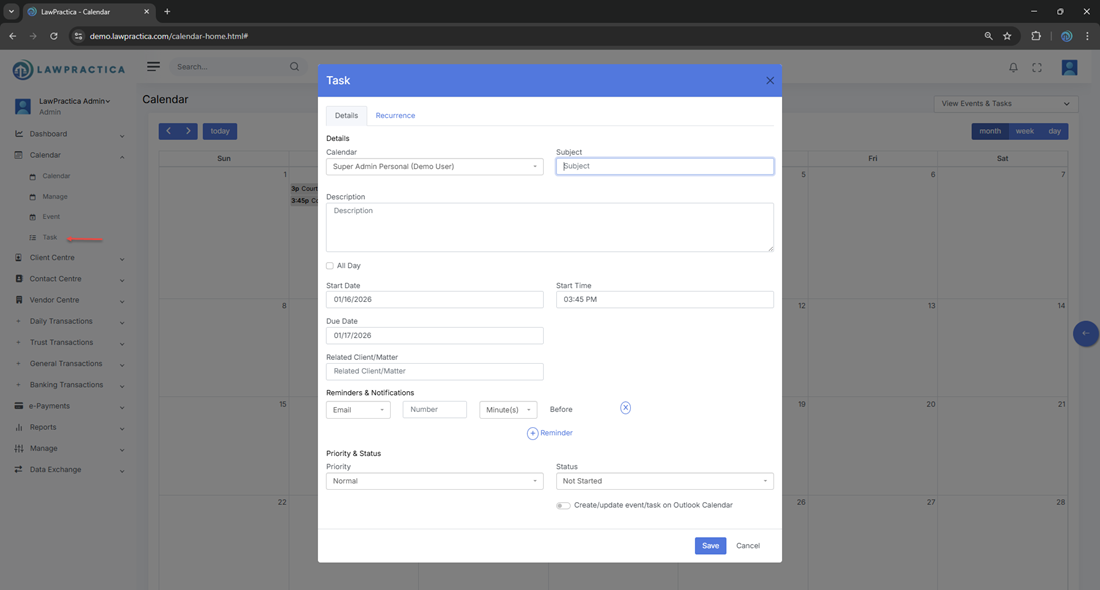
Tasks can be created from the Calendar interface or directly within the Task module.
¶ Steps
- Open the Task module or select a date on the Calendar.
- Enter the task title and description.
- Select the due date.
- Assign the task to a lawyer or staff member.
- Link the task to a matter (optional).
- Choose the appropriate sub‑calendar for color‑coding and permissions.
- Set reminders or notes if needed.
- Save the task.
The task appears immediately on the Calendar and in the assignee’s workflow.
¶ 3. Task Details
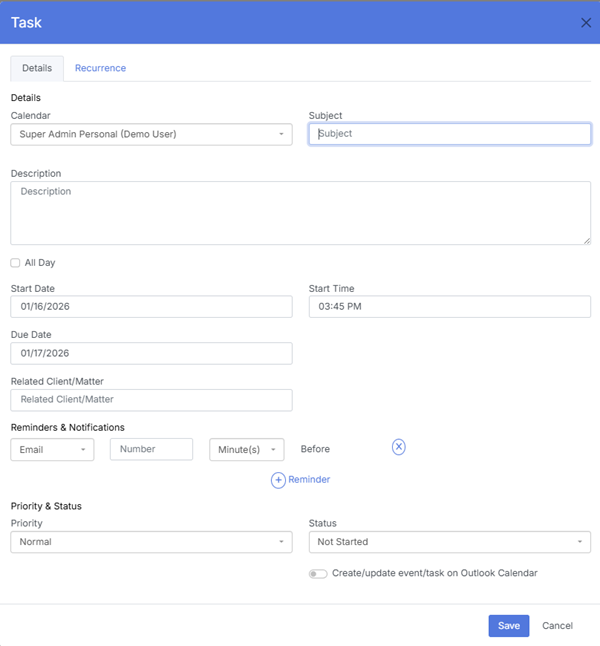
Each task supports the following fields:
- Title – A clear description of the required action
- Due Date – Deadline for completion
- Assigned User – Responsible lawyer or staff member
- Matter Link – Optional connection to a specific matter
- Calendar Selection – Determines color and visibility
- Notes & Reminders – Additional context or alerts
- Status – Not Started, In Progress, or Completed
These fields ensure tasks are actionable, trackable, and aligned with firm processes.
¶ 4. Status Tracking
Tasks include built‑in status management to support workflow transparency.
¶ Available Statuses
- Not Started
- In Progress
- Completed
Status updates are reflected across the Calendar, dashboards, and matter workflows.
¶ 5. Calendar Assignment & Color‑Coding
When a task is created:
- The selected calendar determines the color
- Permissions are inherited automatically
- The task appears on the Calendar on its due date
- Visibility is restricted to authorized users
This ensures consistent classification and clear visual organization.
¶ 6. Editing a Task
Users can update task details at any time.
¶ Editable Elements
- Title
- Due date
- Assigned user
- Matter link
- Calendar selection
- Notes and reminders
- Status
All updates apply instantly across the scheduling and workflow interfaces.
¶ 7. Completing or Deleting a Task
¶ Completion
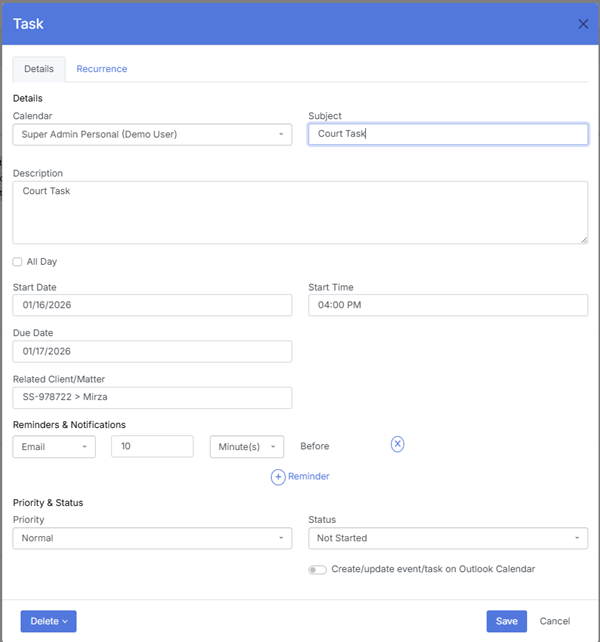
Marking a task as Completed updates its status across all modules and removes it from active workflow views.
¶ Deletion
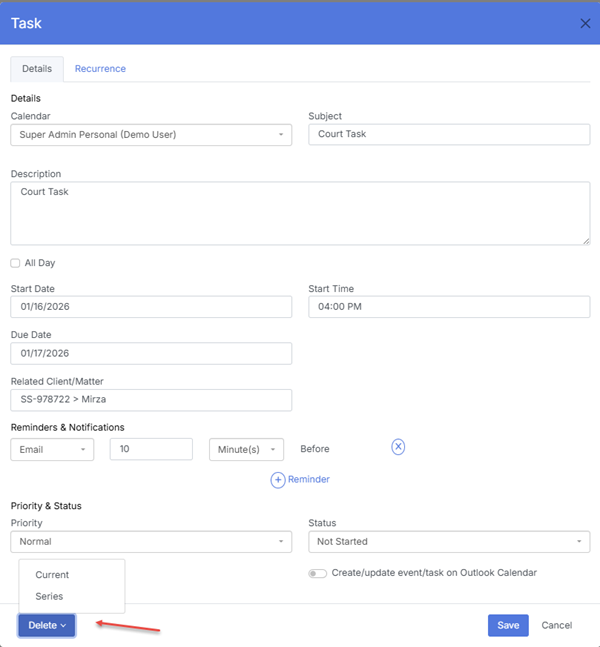
Tasks can be deleted when no longer required.
Considerations:
- Only authorized users can delete tasks
- Deleted tasks are removed from the Calendar
- Historical reporting remains unaffected
¶ 8. Integration with the Calendar
All tasks created in the Task module:
- Display on the Calendar on their due date
- Follow the selected calendar’s color and permissions
- Appear in daily, weekly, and monthly views
- Sync with matter and dashboard metrics
This ensures a unified and transparent workflow across the firm.