¶ 1. Overview
The Email Manager feature enables law firms to send invoices directly from LawPractica with attached PDF copies and optional online payment links. When LawPay integration is enabled, clients can open the email, view the invoice, and pay instantly using the secure e‑Payment link.
Firms may also configure their own SMTP server, allowing invoice emails to be sent from the firm’s domain for branding, deliverability, and compliance.
Email Manager ensures fast billing communication, improved payment turnaround, and a complete audit trail of all invoice‑related emails.
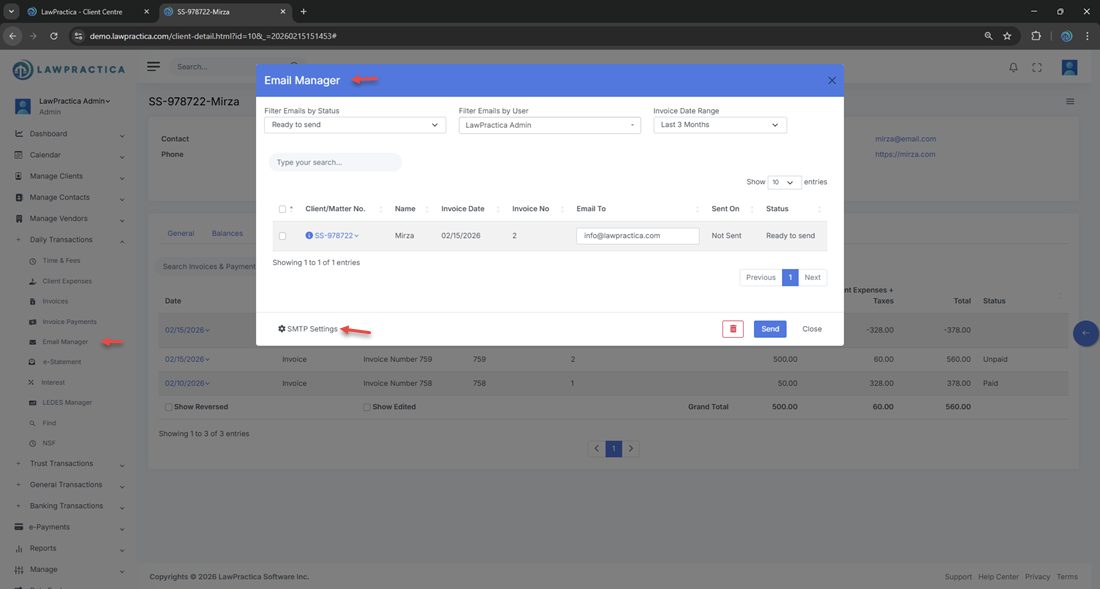
¶ 2. Sending Invoices Through Email Manager
After an invoice is posted, users can send it to the client using Email Manager.
¶ Each email includes:
- Attached PDF invoice
- Client and matter details
- Invoice number and billing summary
- Optional LawPay e‑Payment link
- Firm‑branded content (via SMTP settings)
This ensures clients receive a complete, professional billing package.
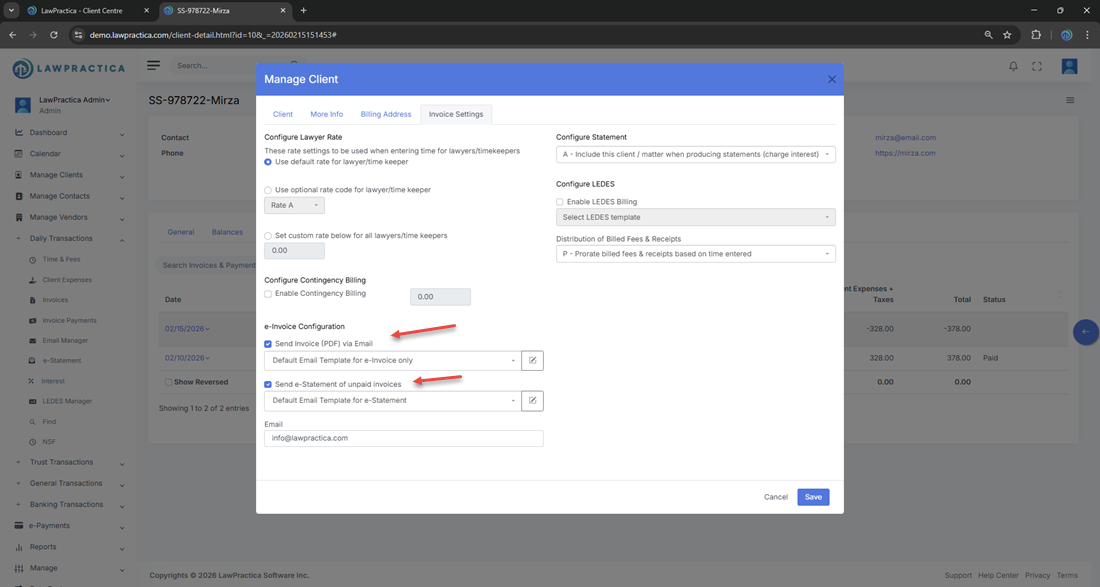
¶ 3. Email Templates (Subject & Body)
Email Manager uses predefined email templates for:
- Subject line
- Email body content
These templates are fully editable by the user before sending the invoice.
¶ Template Features
- Pre‑filled with invoice details
- Supports firm‑approved wording
- Allows customization for tone, instructions, or client‑specific notes
- Ensures consistent communication across the firm
- This gives firms control over branding and messaging while maintaining efficiency.

¶ 4. LawPay e‑Payment Integration
If LawPay is enabled, Email Manager automatically embeds a secure Pay Now link in the email.
¶ Client Experience
- Open the email
- View the attached invoice PDF
- Click the payment link
- Complete payment online
This reduces payment delays and supports faster billing cycles.
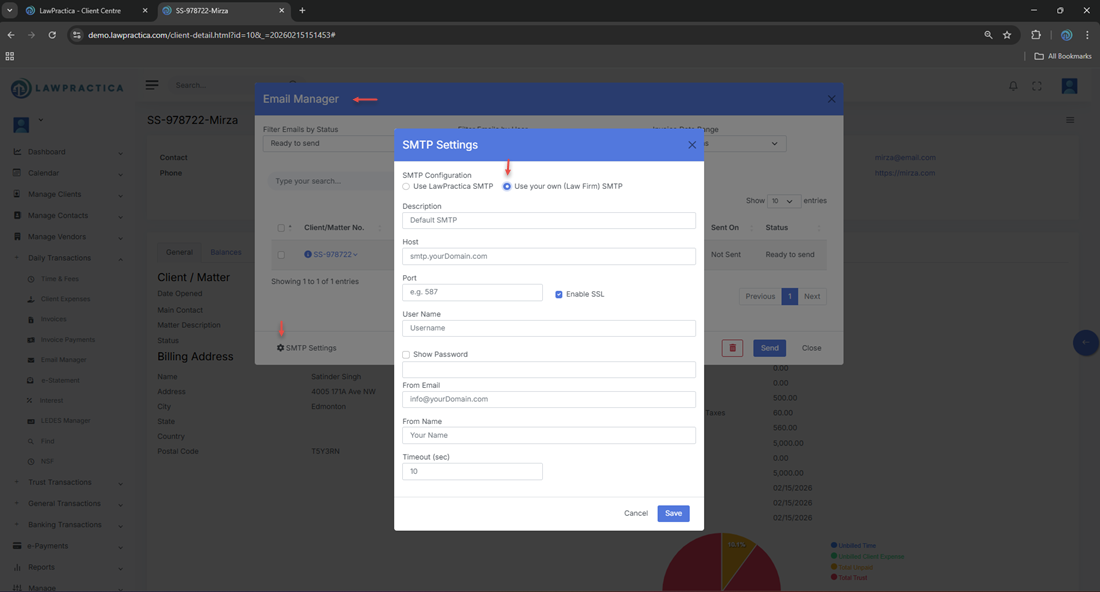
¶ 5. SMTP Email Configuration
Law firms may configure their own SMTP server to send invoice emails.
¶ Benefits
- Emails come from the firm’s domain
- Improved deliverability
- Professional branding
- Compliance with firm communication policies
- Once configured, Email Manager uses the firm’s SMTP settings for all outgoing invoice emails.
¶ 6. Email Content & Attachments
Each invoice email includes:
- PDF invoice attachment
- Client and matter details
- Invoice number and date
- Payment instructions
- Optional LawPay link
- Firm signature and branding
- Customizable subject and body text
This ensures clients have everything needed to review and pay the invoice.
¶ 7. Email History & Tracking
Email Manager maintains a complete log of all invoice emails sent to the client.
¶ Information Tracked
- Date sent
- Recipient email address
- Invoice number
- Email subject
- Delivery status (if available)
- Email content preview
This provides a reliable communication audit trail for billing and compliance.
¶ 8. Integration with Other Features
Email Manager integrates with:
- Client Invoices – Sends posted invoices
- Invoice Payments – Receives payments via LawPay
- Client Detail – Displays email history
- Documents – Stores invoice PDFs
- Firm Settings – SMTP configuration
- Billing Reports – Tracks sent invoices and payments
This ensures a unified billing and communication workflow.
¶ 9. Summary
The Email Manager feature provides a complete, professional solution for sending invoices directly from LawPractica. With customizable email templates, PDF attachments, LawPay e‑Payment links, and firm SMTP support, it streamlines billing communication and accelerates payment collection while maintaining a full communication history for each client.