¶ 1. Overview
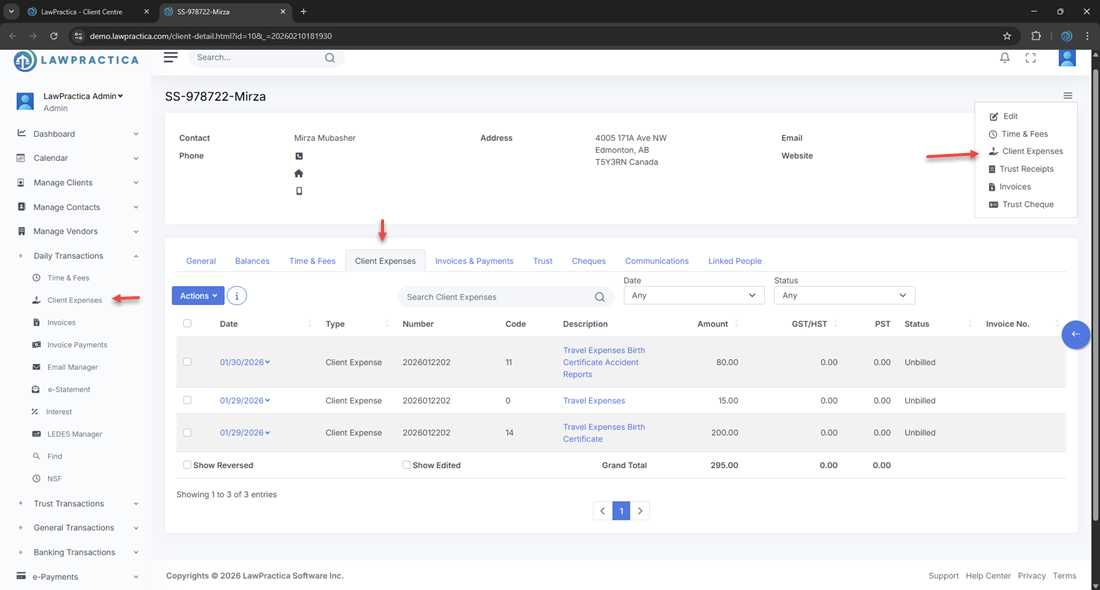
The Client Expenses feature provides a centralized workspace for recording and managing all disbursements incurred on a client's. Users can enter new expenses, review drafted (unposted) items, post finalized entries, and view the complete expense history tied to the client’s file.
This feature supports accurate billing, trust compliance, and financial reporting across the firm.
¶ 2. Expense Categories
The feature organizes expenses into two sections:
¶ 1. Drafted / Unposted Expenses
These are newly entered expenses that have not yet been posted to the client’s account. Users can review, edit, or delete these entries before posting.
¶ 2. Posted Expenses
These expenses have been finalized and posted to the client’s ledger. Posted entries are locked from editing (based on permissions) and included in billing and reporting.
This separation ensures accuracy and control before expenses impact financial records.
¶ 3. Expense List Columns
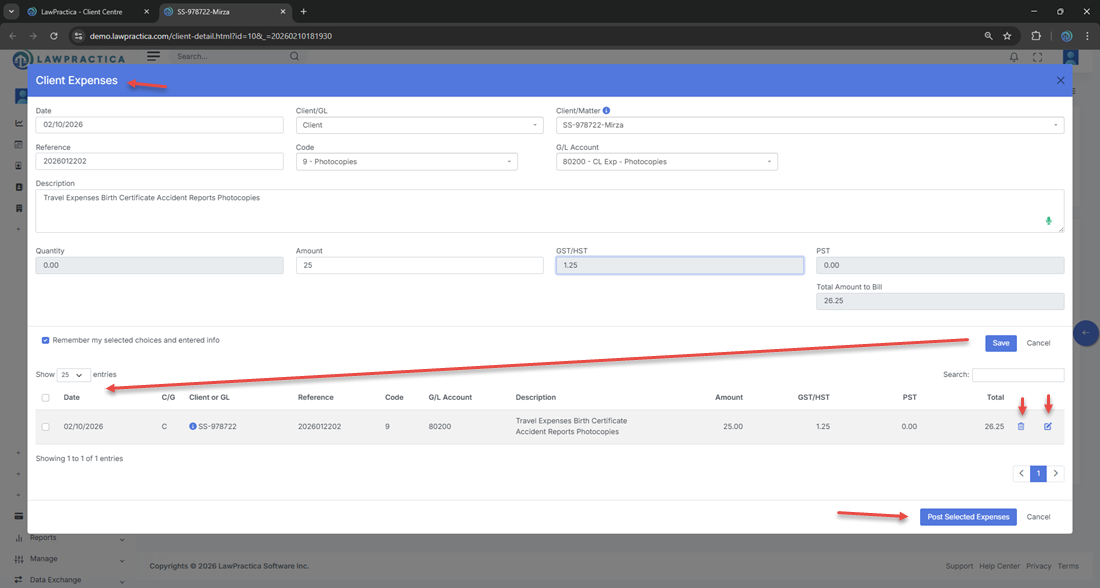
Each expense entry displays the following information:
- Date – When the expense occurred
- Disbursement Code – Category of the expense
- Description – Details of the cost
- Amount – Pre‑tax amount
- GST/HST – Tax applied
- PST – Provincial tax (if applicable)
- Total – Amount including taxes
- Status – Drafted or Posted
- Action – Edit or remove (drafted only)
This structured layout helps users quickly review all disbursements and identify items requiring updates or posting.
¶ 4. Adding a New Expense
Users can add new expenses directly within the feature.
¶ Fields Typically Captured
- Date of expense
- Disbursement code
- Description
- Amount
- GST/HST and PST (auto‑calculated based on system settings)
- Notes (optional)
New entries appear immediately in the Drafted / Unposted section.
¶ 5. Editing Drafted Expenses
Drafted expenses can be updated to correct:
- Amount
- Disbursement code
- Description
- Tax values
- Notes
Drafted entries remain editable until posted.
¶ 6. Posting Expenses
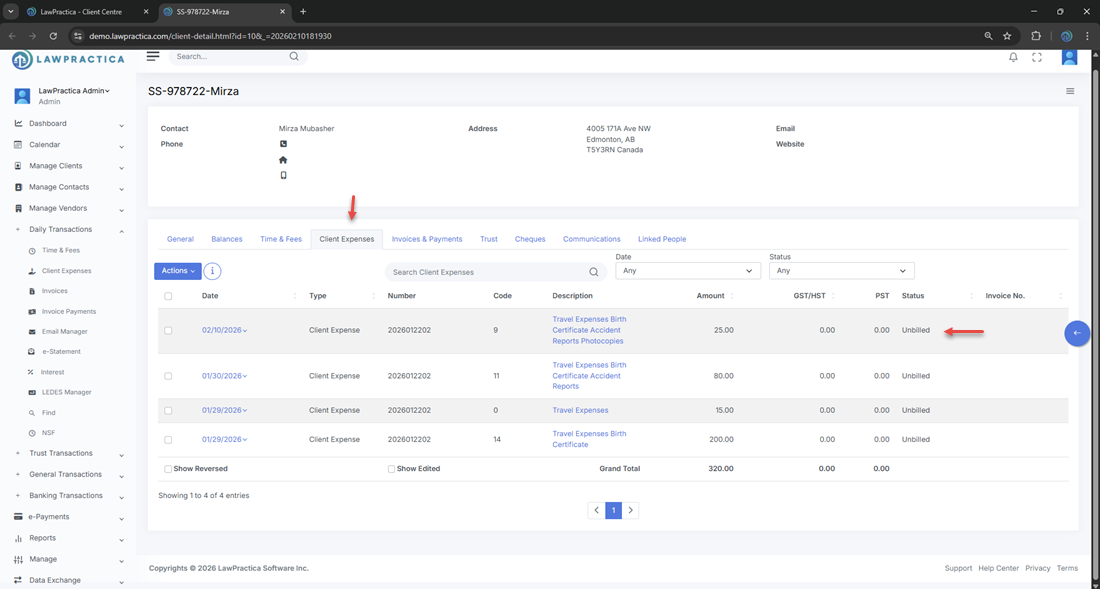
Once reviewed, drafted expenses can be posted.
¶ Posting Effects
- Moves the expense into the Posted Expenses section
- Adds the entry to the client’s financial ledger
- Makes the expense available for invoicing
- Locks the entry from further editing (based on permissions)
- Posting ensures expenses are properly captured in billing workflows.
¶ 7. Expense History & Totals
The feature displays helpful totals and summaries:
- Total drafted expenses
- Total posted expenses
- Tax totals (GST/HST, PST)
- Grand totals
These summaries provide a quick snapshot of the client’s disbursement activity.
¶ 8. Integration with Other Features
Client Expenses integrates seamlessly with:
- Client Detail
- Time & Fees
- Billing & Invoicing
- General Transactions
- Trust Receipts & Payments
- Reports
This ensures expenses flow consistently into billing and financial reporting.
¶ 9. Summary
The Client Expenses feature provides a complete, structured environment for recording, reviewing, and posting disbursements. With drafted vs. posted tracking, tax calculation, and integration across billing workflows, it ensures accurate and efficient expense management for the firm.