¶ 1. Overview
The Manage Settings modal is accessible only to Admin or Owner accounts. It centralizes all firm‑wide configuration options that control how LawPractica behaves across:
- Billing
- Accounting
- Timekeeping
- Financial reporting
- e‑Payments
- Integrations
- Firm identity and defaults
Each tab inside the modal represents a specific configuration category.
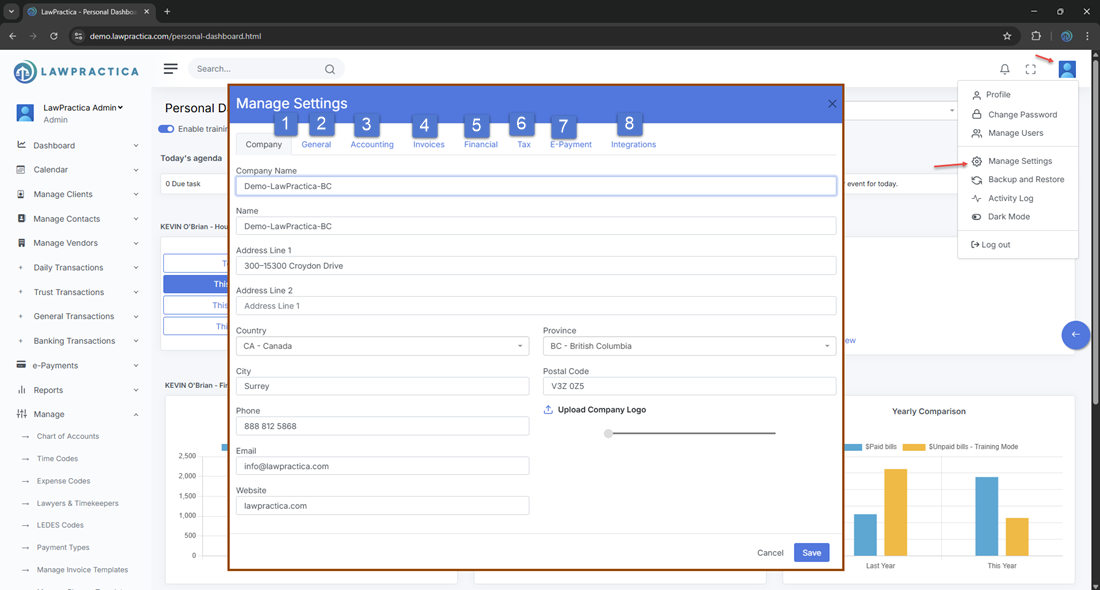
¶ 2. Inside Manage Settings
Below is the complete Knowledge Base for each tab.
¶ 📘 2.1 Company
¶ Purpose
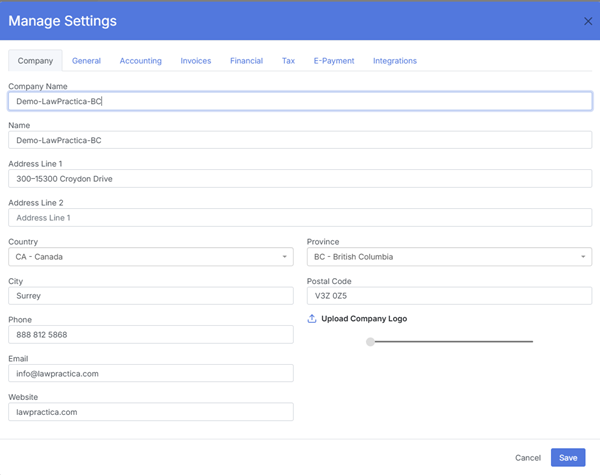
Defines the firm’s identity, branding, and contact information used across invoices, emails, statements, and documents.
¶ Key Settings
- Firm Name
- Address
- Phone / Email
- Website (optional)
- Firm Logo Upload
- Branding Text (used in headers/footers)
¶ Where It Appears
- Invoice templates
- Email templates
- Cheque templates
- Client statements
- Reports
This tab ensures all client‑facing documents reflect accurate and consistent firm branding.
¶ 📘 2.2 General
¶ Purpose
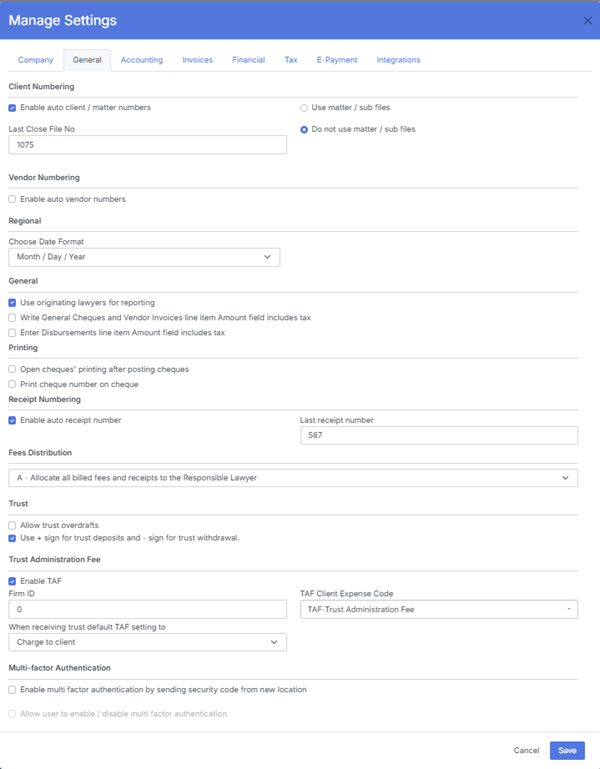
Controls global system behavior and default operational settings.
¶ Key Settings
- Default Time Zone
- Date Format
- Default Currency
- Time Entry Rounding Rules (e.g., 0.1 hr, 6‑minute increments)
- Default Billing Rate Source
- Default Lawyer Assignment Rules
- Notification Preferences
- Calendar Defaults
- Impact
These settings affect all users and define how time entries, dates, and system defaults behave across the platform.
¶ 📘 2.3 Accounting
¶ Purpose
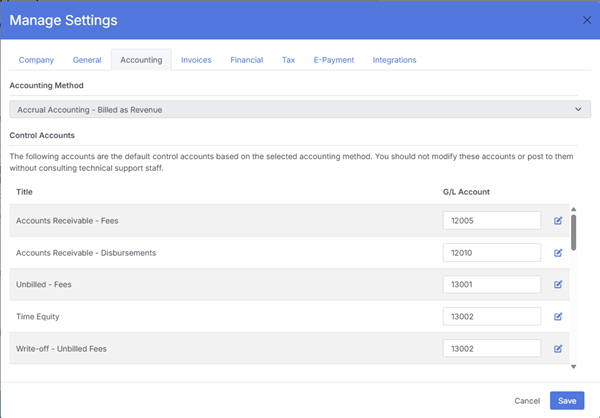
Controls accounting‑related rules and system behavior for trust and general accounting.
¶ Key Settings
- Fiscal Year Start
- Default GL Accounts (mapped to Chart of Accounts)
- Trust Accounting Rules
- General Accounting Rules
- Bank Account Mapping
- Posting Restrictions
- Enable/Disable Multi‑Currency (if supported)
¶ Impact
These settings ensure compliance with trust accounting standards and proper financial posting across all modules.
¶ 📘 2.4 Invoices
¶ Purpose
Defines firm‑wide billing rules and invoice behavior.
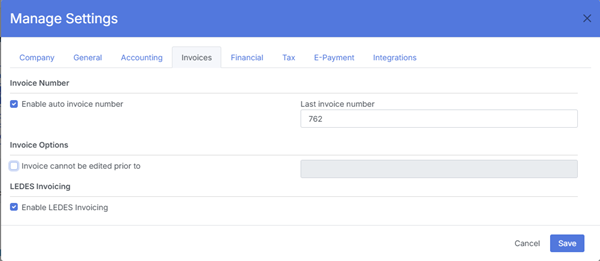
¶ Key Settings
- Default Invoice Template
- Default Email Template for Invoices
- Invoice Numbering Format
- Show/Hide Time Entry Details
- Show/Hide Expense Details
- Tax Display Rules
- Payment Terms (e.g., Net 30)
- Late Fee Settings (if enabled)
- e‑Signature Placement Rules
¶ Impact
These settings control how invoices are generated, formatted, and delivered to clients.
¶ 📘 2.5 Financial
¶ Purpose
Controls financial defaults and firm‑wide monetary settings.
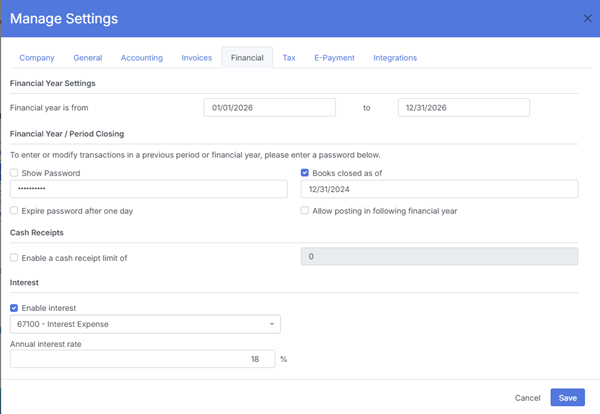
¶ Key Settings
- Default Billing Rate (fallback rate)
- Default Expense Markup (if applicable)
- Interest Rate for Overdue Invoices
- Trust to AR Transfer Rules
- Financial Summary Display Options
¶ Impact
These settings influence billing calculations, interest, and financial reporting.
¶ 📘 2.6 Tax
¶ Purpose
Manages all tax‑related settings used across invoices, expenses, and financial reports.
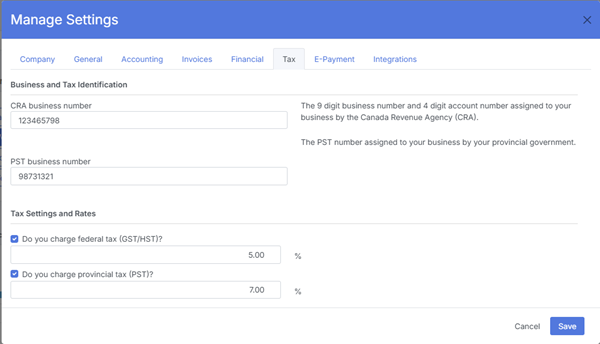
¶ Key Settings
Enable/Disable Taxes
- Tax Types (GST, PST, HST, VAT, etc.)
- Tax Rates
- Tax Exemption Rules
- Tax on Fees / Tax on Expenses
- Compound Tax Settings (if applicable)
¶ Impact
These settings determine how taxes are calculated and displayed on invoices and financial documents.
¶ 📘 2.7 e‑Payment
¶ Purpose
Configures LawPay integration and online payment behavior.
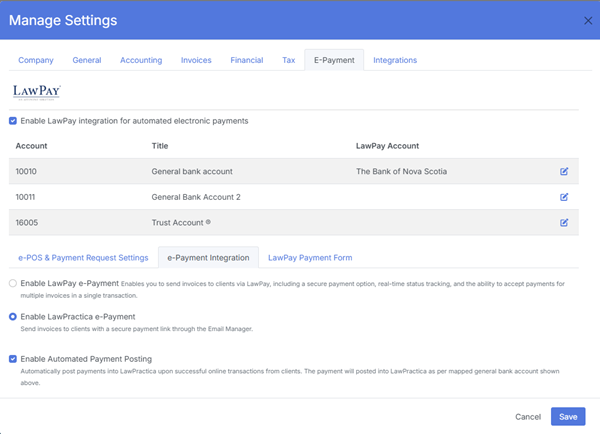
¶ Key Settings
- Enable/Disable LawPay Integration
- Connect LawPay Account
- Map Trust & Operating Accounts
- Enable e‑Payment Links
- Enable POS Terminal
- Default Payment Type for Online Payments
- Payment Link Expiry Rules
¶ Impact
These settings control how online payments, POS payments, and payment links function across the system.
¶ 📘 2.8 Integrations
¶ Purpose
Manages third‑party integrations and external system connections.
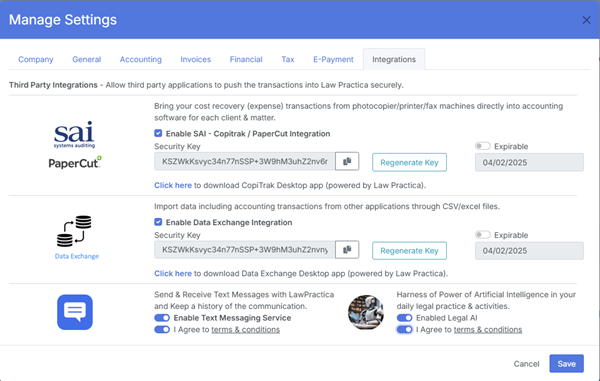
¶ Key Settings
- Document Storage Integrations (e.g., OneDrive, SharePoint)
- Email Provider Settings
- Accounting Software Integrations (if supported)
- API Keys / Webhooks
- Enable/Disable Specific Integrations
¶ Impact
These settings allow LawPractica to connect with external tools for document management, email delivery, accounting, and automation.
¶ 3. Summary
The Manage Settings modal is the administrative hub for configuring all firm‑wide rules, defaults, and integrations. Each tab controls a specific operational area:
| Tab | Purpose |
|---|---|
| Company | Branding & firm identity |
| General | System defaults & global behavior |
| Accounting | Trust/general accounting rules |
| Invoices | Billing & invoice formatting |
| Financial | Financial defaults & interest rules |
| Tax | Tax rates & tax behavior |
| e‑Payment | LawPay & online payment settings |
| Integrations | External system connections |
This featureensures the entire platform operates consistently, professionally, and in compliance with firm policies.