¶ 1. Overview
The Accounts Receivable Ledger Report displays a full chronological ledger of receivable activity for each client and matter. It is used for:
- Reviewing invoice and payment history
- Investigating outstanding balances
- Supporting collections and follow‑up
- Auditing receivable transactions
- Month‑end and year‑end financial reconciliation
The report groups entries by Client → Matter, showing all receivable‑related transactions and running balances.
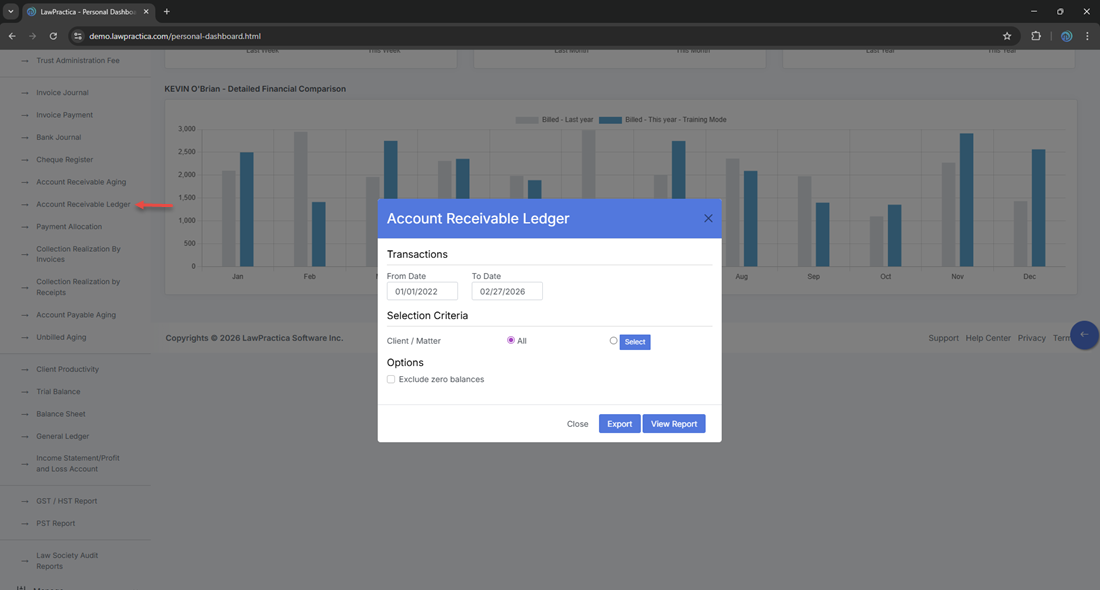
¶ 2. Report Window (Filters)
The modal contains the following sections:
¶ 2.1 Date Range
- Defines the reporting period for receivable activity.
- From Date: 01/01/2022
- To Date: 02/27/2026
Only transactions within this range appear in the ledger.
¶ 2.2 Selection Criteria
- Client / Matter: All Allows filtering the ledger to a specific client or matter.
¶ 2.3 Options
- Exclude zero balances When enabled, hides matters with no outstanding receivable balance. Useful for producing clean, actionable AR lists.
¶ 2.4 Actions
- View Report — Generates the ledger
- Export — Exports the generated report
- Close — Closes the widnow
¶ 3. Report Output
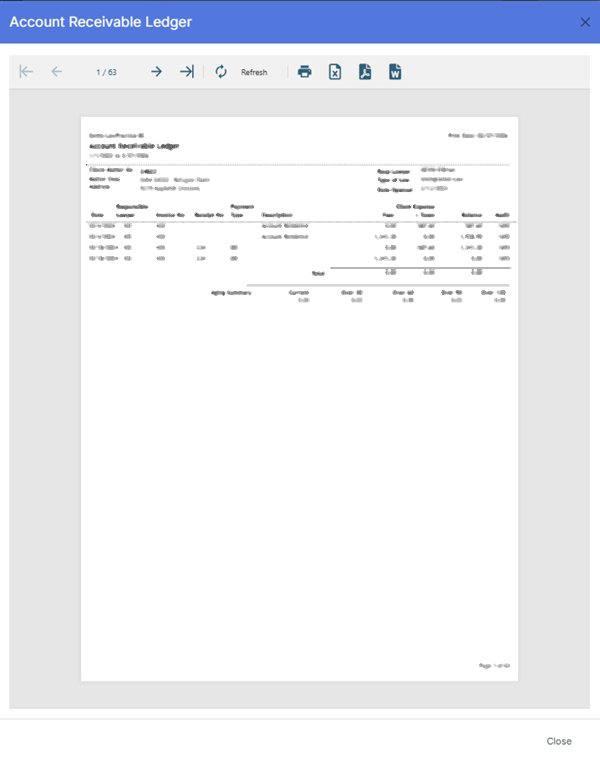
¶ 3.1 Header Information
Displayed at the top of the report:
- Firm Name: Demo‑LawPractica‑BC
- Print Date: 02/27/2026
- Report Title: Accounts Receivable Ledger
- Date Range: 1/1/2022 to 2/27/2026
¶ 3.2 Client & Matter Header Block
Each matter section begins with:
- Client Matter No: 24022
- Resp Lawyer: KEVIN O’Brian
- Type of Law: Immigration Law
- Address: 9219 Applehill Crescent
- Date Opened: 2/13/2024
- Matter Desc: IMM 24022 Refugee Claim
This header identifies the matter for all ledger entries listed below it.
¶ 3.3 Ledger Columns
The Accounts Receivable Ledger includes the following columns:
| Column | Description |
|---|---|
| Date | Date of the receivable transaction |
| Lawyer | Lawyer associated with the entry |
| Invoice No | Invoice number for billed fees/expenses |
| Receipt No | Receipt number for payments applied |
| Description | Summary of the transaction (invoice, payment, adjustment, tax, etc.) |
| Fees | Fee amount associated with the entry |
| Client Expense | Disbursements billed to the client |
| + Taxes | Taxes applied to the transaction (GST/HST, PST) |
| Payment | Payment amount applied to the invoice |
| Balance | Running receivable balance for the matter |
| Audit | Internal audit reference or audit trail indicator |
| Responsible | Responsible lawyer for the matter |
| Type | Type of transaction (invoice, payment, adjustment) |
These fields provide a complete, chronological ledger of all receivable activity for the matter.
¶ 4. Export Options
Available formats:
- Excel
- CSV
Exports preserve the ledger structure and respect all applied filters.
¶ 5. Best Practices
- Enable Exclude zero balances to focus on active receivables.
- Use the ledger to investigate discrepancies between invoices and payments.
- Review running balances to confirm AR accuracy before month‑end close.
- Filter by Client / Matter when resolving client billing inquiries.
- Export to Excel for collections workflows or reconciliation worksheets.
- Use Audit numbers to trace entries during financial reviews.
¶ 6. Summary
The Accounts Receivable Ledger Report provides a detailed, matter‑level view of all receivable transactions, including invoices, payments, taxes, fees, expenses, and running balances. It supports collections, financial reconciliation, and audit requirements, ensuring complete transparency into client and matter receivable activity.