¶ 1. Overview
The Invoice Journal Report provides a chronological listing of invoices generated within a specified date range. It is used for:
- Reviewing billing activity
- Month‑end and period‑end billing reconciliation
- Auditing invoice totals, taxes, and responsible lawyers
- Producing summarized or detailed invoice listings
- Supporting accounting and financial reporting
The report can be generated in Summarized or Detailed format depending on user needs.
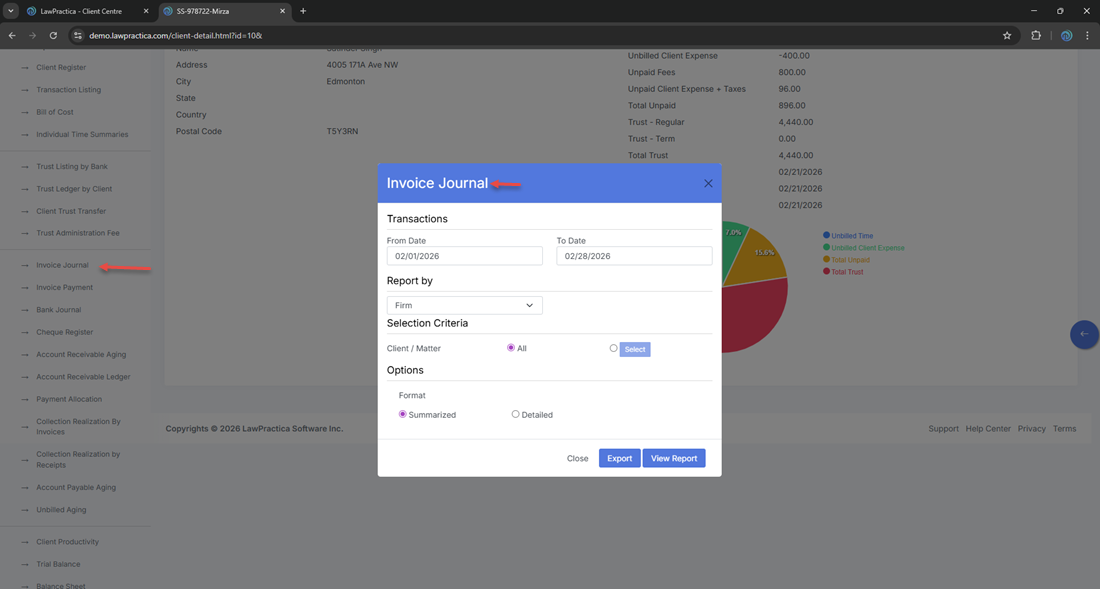
¶ 2. Report Window (Filters )
The modal contains the following sections:
¶ 2.1 Date Range
Used to define the reporting period for invoice activity.
- From Date
- To Date
Example: From: 02/01/2026 To: 02/28/2026
¶ 2.2 Report By
A single‑select option:
- Firm
- Responsible Lawyer
- Originating Lawyer
¶ 2.3 Selection Criteria
¶ Client / Matter
Dropdown list of clients or matters.
- Default: All
- Used to filter invoices for a specific client or matter.
¶ 2.4 Options
¶ Format
Determines the level of detail in the report.
- Summarized
- Shows one line per invoice
- Includes totals and taxes
- Detailed
- Shows invoice line‑level detail (fees, expenses, taxes)
¶ 2.5 Actions
Buttons at the bottom of the modal:
- View Report — Generates the report
- Export — Exports the generated report
- Close — Closes the window
¶ 3. Report Output
- Once generated, the report displays a chronological list of invoices within the selected date range.
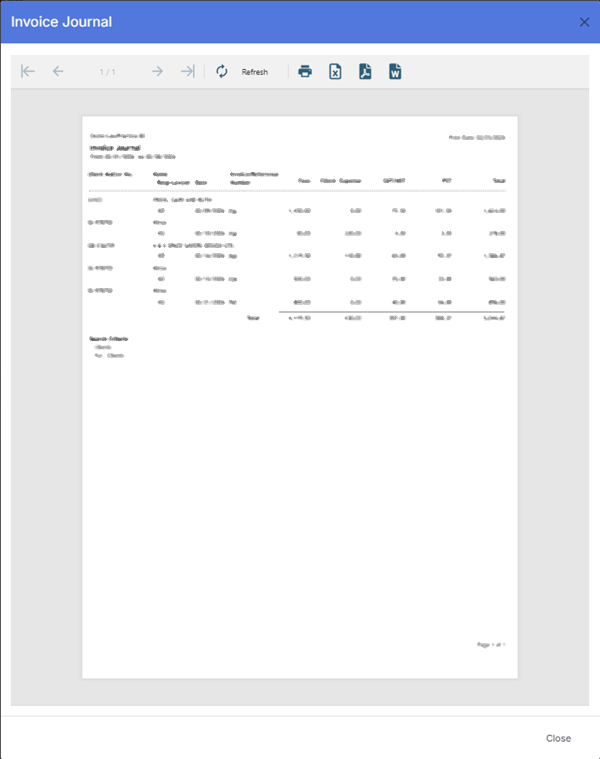
¶ 3.1 Header Information
Displayed at the top of the report:
- Firm Name: Demo‑LawPractica‑BC
- Report Title: Invoice Journal
- Date Range: From 02/01/2026 to 02/28/2026
- Print Date: 02/25/2026
¶ 3.2 Report Columns
The Invoice Journal Report includes the following columns:
| Column | Description |
|---|---|
| Client Matter No. | Combined client and matter identifier |
| Name | Client name |
| Invoice/Reference | Invoice number or reference code |
| Fees | Total fees billed on the invoice |
| Client Expense | Total disbursements billed |
| GST/HST | Federal tax applied to the invoice |
| PST | Provincial tax applied (if applicable) |
| Total | Total invoice amount including taxes |
| Date | Invoice posting date |
| Number | Invoice number |
| Resp Lawyer | Responsible lawyer for the matter |
These fields provide a complete financial view of invoice activity for the selected period.
¶ 4. Export Options
Available export formats:
- Excel
- CSV
Exports preserve the selected format (Summarized or Detailed) and respect all applied filters.
¶ 5. Best Practices
- Use Summarized format for month‑end billing reconciliation
- Use Detailed format for audit or accounting review
- Filter by Client / Matter when investigating billing discrepancies
- Export to Excel for deeper financial analysis
- Verify tax columns (GST/HST, PST) for compliance
- Use the report to confirm invoice totals before financial close
¶ 6. Summary
The Invoice Journal Report provides a complete listing of invoices issued within a selected date range, including fees, expenses, taxes, totals, and responsible lawyer information. It supports billing reconciliation, financial reporting, and audit requirements.
This report is essential for maintaining accurate billing records and ensuring firm‑wide financial transparency.