¶ 1. Overview
The Trust Ledger by Client Report provides a detailed, chronological ledger of trust activity for each client and matter. It is used for:
- Trust accounting compliance
- Monthly or period‑based trust reconciliation
- Reviewing deposits, withdrawals, and running balances
- Producing client‑specific trust statements
- Internal and regulatory audits
The report groups trust entries by Client → Matter, and lists all trust transactions within the selected date range.
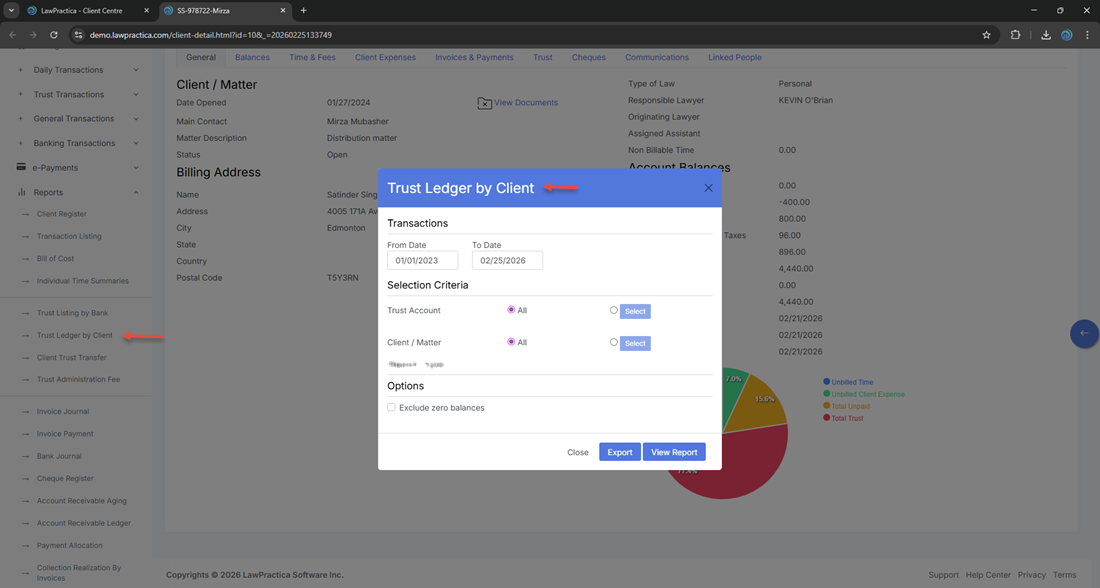
¶ 2. Report Window (Filters)
The filter modal includes the following fields:
¶ 2.1 Date Range
A single section containing:
- Start Date
- End Date
Used to limit trust transactions to a specific reporting period.
¶ 2.2 Trust Account
- Dropdown list of trust bank accounts.
- Default: All trust accounts
- Users may select a specific trust bank account if needed.
¶ 2.3 Report Type
Dropdown list that includes:
- Trust Ledger by Client
- Trust Listing by Bank
- Trust Listing by Trust
¶ 2.4 Actions
- View Report — Generates the report
- Export — Exports the generated report
- Close — Closes the window
¶ 3. Report Output
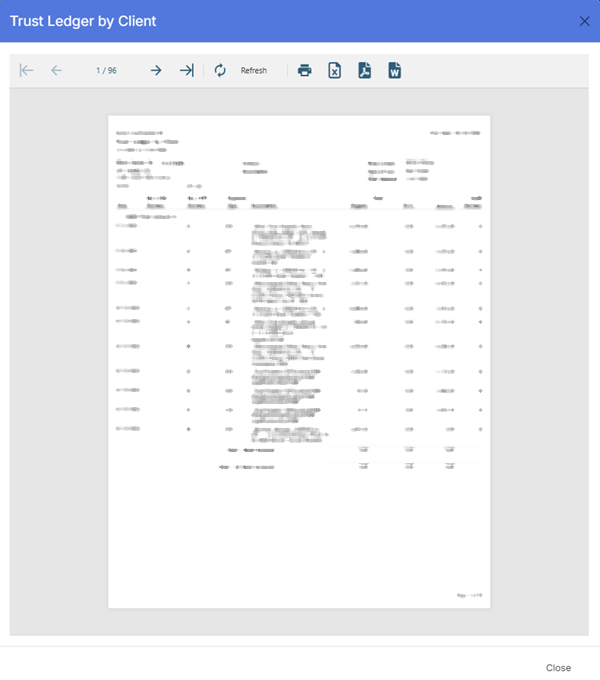
Once generated, the report displays a structured trust ledger grouped by client and matter.
¶ 3.1 Header Information
Displayed at the top of the report:
- Firm Name (e.g., Demo‑LawPractica‑BC)
- Print Date
- Report Title: Trust Ledger by Client
- Date Range (e.g., From 1/1/2023 to 2/25/2026)
¶ 3.2 Client & Matter Header Block
Each client/matter group begins with:
- Client No
- Matter No
- Client Name (hidden if “Suppress Client Name” is enabled)
- Address
- Matter Name
- Closed Number
- Closed Date
- Lawyer
This block identifies the client and matter for all trust transactions listed below it.
¶ 3.3 Ledger Columns
The Trust Ledger by Client report uses the following columns:
| Column | Description |
|---|---|
| Date | Date the trust transaction was recorded |
| Description | Summary of the trust transaction (deposit, withdrawal, transfer, adjustment) |
| Regular | Regular trust amount (non‑term) |
| Term | Term trust amount (if applicable) |
| Trust | Trust amount for the current transaction |
| Last Trust | Previous trust balance before the transaction |
| Total | Combined trust amount (Regular + Term) |
| Balance | Running trust balance for the matter |
| Lawyer | Lawyer associated with the transaction |
| Resp | Responsible lawyer or timekeeper code |
| Audit | Internal audit reference or audit trail indicator |
| Status | Transaction status (active, closed, etc.) |
These fields provide a complete chronological ledger of trust activity for each client and matter.
¶ 4. Export Options
Users may export the report in:
- Excel
- CSV
Exports preserve grouping and respect all applied filters.
¶ 5. Best Practices
- Use date filters for monthly trust audits
- Use trust account filters for reconciliation
- Use Suppress Client Name for anonymized internal reviews
- Export to Excel for deeper trust analysis
- Review running balances to ensure compliance
- Use the ledger during trust reconciliation to verify accuracy
¶ 6. Summary
The Trust Ledger by Client Report provides a detailed, client‑grouped trust ledger showing all trust transactions, balances, and lawyer assignments. It supports trust accounting compliance, reconciliation, and client‑level financial oversight.
This report is essential for maintaining accurate trust records and meeting regulatory requirements.