¶ 1. Overview
The Vendor Information interface provides a structured workspace for creating new vendors or updating existing vendor records. This module ensures vendor data is accurate, organized, and fully integrated with billing, payments, and accounting workflows.
Users can manage business details, communication information, payment preferences, and accounting defaults that determine how transactions post to the vendor.
¶ 2. Creating a New Vendor
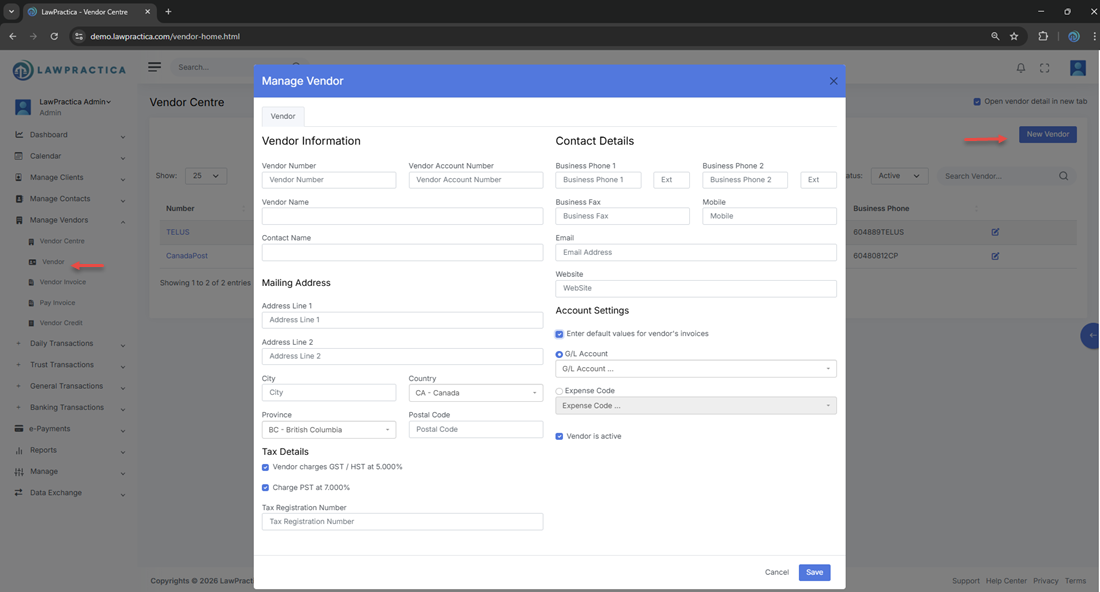
Users can add a new vendor directly from the Vendor Centre.
¶ Steps
Open the Vendor Centre.
- Select Add Vendor.
- Complete the vendor information fields.
- Configure accounting settings (optional but recommended).
- Save the vendor.
¶ 3. Editing an Existing Vendor
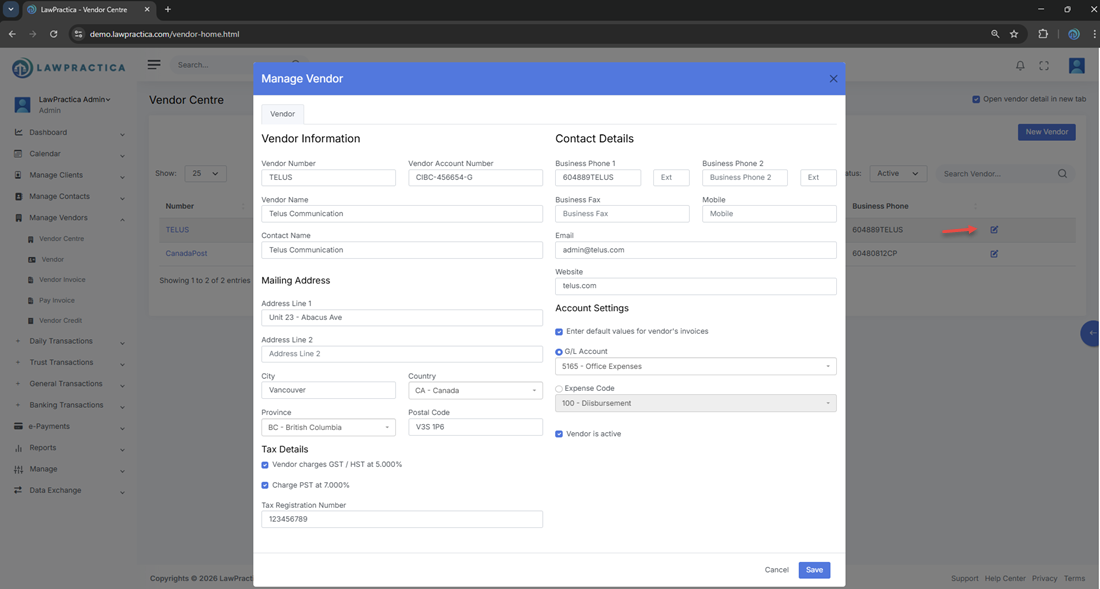
Existing vendor records can be updated at any time to reflect changes in business details, contact information, or accounting preferences.
¶ Editable Elements
- Vendor name and company details
- Contact information
- Status (Active/Inactive)
- Accounting defaults
- Notes and internal comments
All updates apply instantly across the system.
¶ 4. Vendor Information Fields
The interface supports a complete set of fields to ensure accurate vendor records.
¶ Business Information
- Vendor name
- Company name
- Business phone
- Email address
- Address details
¶ Communication Details
- Primary contact
- Phone numbers
- Email addresses
¶ Status
- Active – Available for transactions
- Inactive – Retained for history but hidden from workflows
¶ 5. Accounting Settings
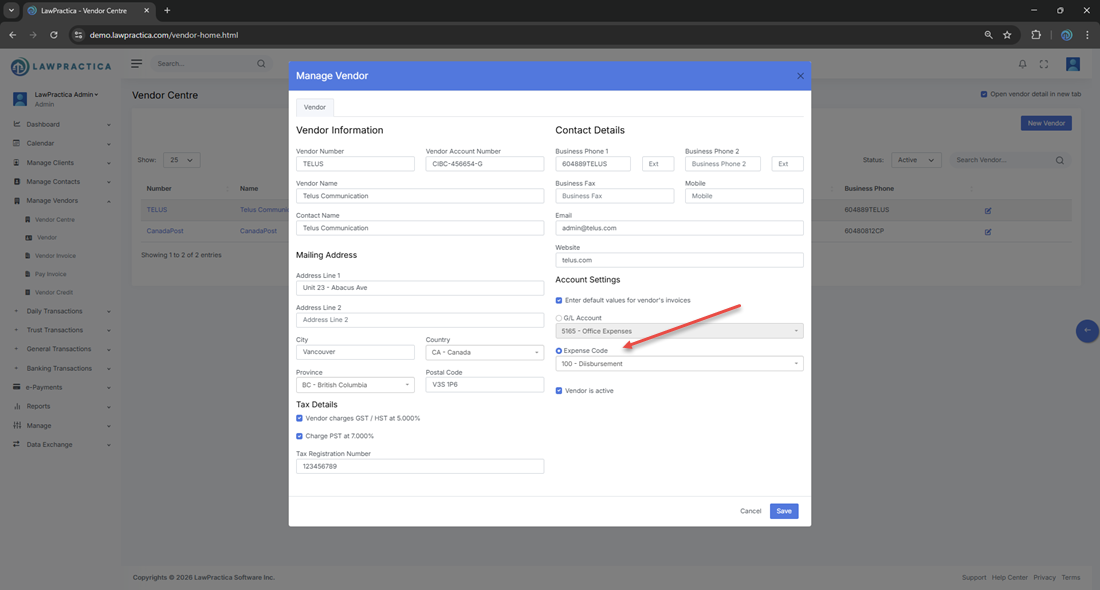
The Account Settings section allows bookkeepers and accounting staff to define how transactions should post when associated with this vendor.
¶ Posting Options
- Expense Entry
- Automatically posts vendor transactions to a selected expense account
- Ideal for recurring vendor costs (e.g., utilities, subscriptions, office supplies)
- General Account Entry
- Post transactions to a selected G/L account
- Suitable for vendors tied to specific ledger categories
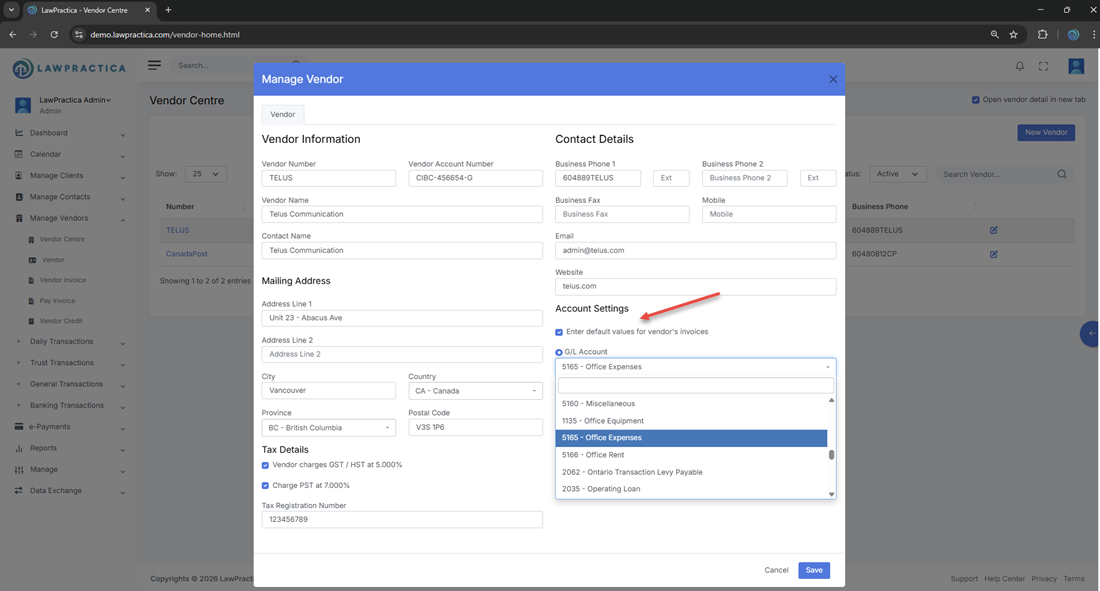
- Available Lists
- Full list of G/L accounts
- Full list of Expense accounts
These settings ensure consistent and accurate financial posting without manual selection each time.